-40x40w.png)





-250x250w.png "SOTI")






ClickShare CX-50 Wireless Conference System

0.00€ (0.00 лв.)
Ex Tax:0.00€ (0.00 лв.)
0.00€ (0.00 лв.)
Ex Tax:0.00€ (0.00 лв.)
0.00€ (0.00 лв.)
Ex Tax:0.00€ (0.00 лв.)
0.00€ (0.00 лв.)
Ex Tax:0.00€ (0.00 лв.)
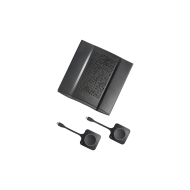
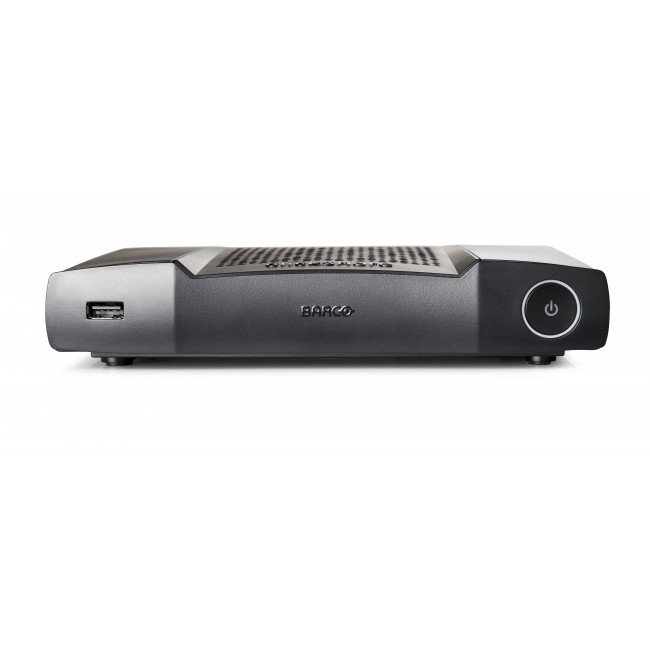
Barco ClickShare CX-50 Wireless Conference Systemoffers a wide range of functionalities and is suitable for use in medium to large conference rooms. Users can add comments to slides, update information in real-time, perform moderation to control the content that is displayed and fully control the touch screen when conducting a meeting through the ClickShareTouchbackfeature . Barco
The Barcowireless conferencing system is designed with full Bring Your Own Device (BYOD) support , allowing users to use their preferred device - laptops, tablets or smartphones . You can use the ClickShare conference button towirelessly connect to a camera , speaker and other AV USB peripherals . The manufacturer's ClickShare app also allows you to join a conference calland contributes to an intuitive and consistent user experience,offering screen sharing as well as a host of advanced features. The app works on all devices, from desktop to Android and iOS . The Barco ClickShare CX-50 system is designed with a focus on privacy and can be seamlessly integrated into anyITnetwork– ISO 27001certificate.
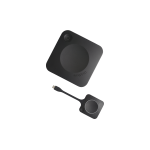
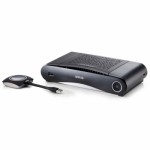
The CX-50 kit includes 2ClickShareconnection buttons . The standard warranty of the device is 1 year , but additional support of up to 5 years - SmartCare - can be activated.
| Характеристики | |
| Brand | Barco |
| Dimensions (L x H x D) | 200mm x 39mm x 202mm |
| Power | Standard 110/220 V AC plug |
| WLAN | IEEE 802.11 a/g/n/ac; IEEE 802.15.1 |
| Operating temperature | 0°C to 40°C |
| Certifications | FCC/CE |
| ClickShare App | Desktop, Mobile |
| ClickShare buttons | 2 |
| Compatible operating system | Windows 8/8.1/10. macOS 10.15 and higher; Android v11 and above (ClickShare App) iOS 14 and above (ClickShare App) |
| Local view and moderation | High quality (available in future firmware updates) |
| Management and reporting | Yes |
| Native protocols | Airplay, Google Cast, Miracast |
| Network connection | LAN, Wi-Fi (dual) |
| Noise level | Max. 25dBA, 0-30°C Max. 30dBA, 30-40°C |
| Power consumption | 50W (max) |
| Reach | Max. 30m (100 ft) between the ClickShare button and the ClickShare device; Frequency range 2.4 GHZ, 5 GHz (DFS) |
| System requirements | For a full user experience with Microsoft Teams or Zoom. Minimum: Intel i3 dual-core processor, 8GB RAM; OS: Windows 10 latest build, Mojave latest build; Recommended: Intel i5 4-core processor, 8GB RAM; OS: Windows 10 latest build, Mac OS latest build; |
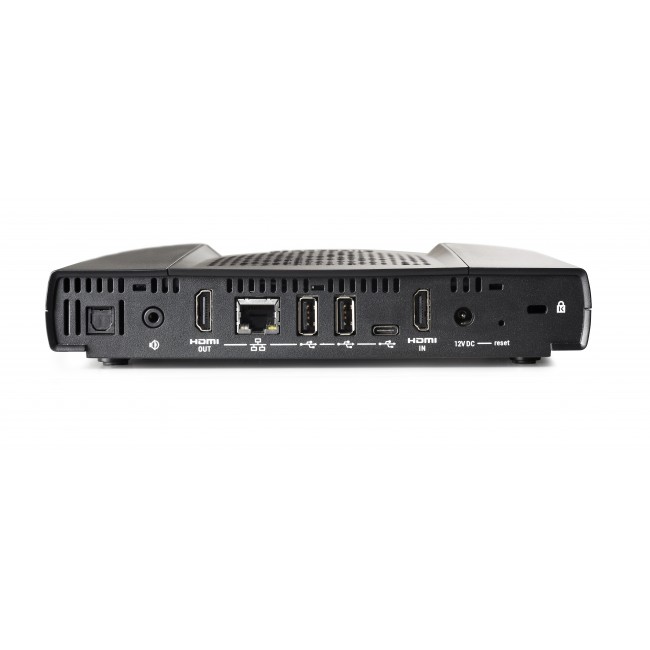
| USB | 3 X USB-A, 1 X USB-C |
| Wireless conferencing | Application, Button |
| Storage temperature | -20°C to 60°C |
| Touch screen support and Interactivity | Yes |
| Audio outputs | USB, SPDIF, jack, HDMI |
| Video inputs | 1920x1080, 30Hz. HDMI 1.4b |
| Video outputs | 4K UHD (3840*2160), 30Hz. HDMI 1.4b |
| Interfaces | 1x Ethernet LAN 1Gbit; 1x USB Type-C 2.0 (back); 2x USB Type A 2.0 (back); 1x USB Type A 2.0 (front); Audio analog line out on mini jack socket (3.5mm), digital S/PDIF |
| Authentication protocol | WPA2-PSK in stand alone mode; WPA2-PSK or IEEE 802.1X when using the ClickShare button in network integration mode |
| Anti-theft system | Kensington lock |
| Frequency | 2.4GHZ, 5GHz |
| Warranty | 12 months |